How to Redeem Deadly Heist Codes
Exact menu flow, common failures, and how to confirm rewards landed.
Before you redeem
Confirm you launched the real Deadly Heist experience by EcoCrashed Games. Look-alike places recycle emoji titles and siphon players searching for codes. Also open the Codes Hub so you only paste strings we still consider plausible—not Deadly Delivery leftovers.
Redeeming mid-chase is a bad idea. Finish a warehouse hand-in or wait in a calm lobby moment so a UI freeze cannot strand you under five-star pressure. If you are new, skim getting started and controls first; a code will not teach vault timing.
PC redemption steps
- Press the experience menu button (usually the Roblox escape menu or an on-screen Codes / Shop icon depending on the latest UI pass).
- Locate a Codes, Twitter, or Redeem field. EcoCrashed has iterated menus during early updates, so the label may sit near cosmetics or mask customization.
- Click the text box and paste the code exactly as published—no extra spaces, no changing letter case unless the note says codes are case-insensitive.
- Confirm with Redeem / Submit.
- Watch for a success toast. Then check cash, inventory, or cosmetic slots before starting another bank breach.
If nothing happens, leave the field, re-open the menu, and try once more. Double-submits rarely help and can confuse whether the code already consumed a limited redeem.
Mobile redemption steps
On phones and tablets the Codes entry often hides behind a hamburger, gear, or shop tab. Tap carefully so you do not start sprinting into police while the keyboard is open.
- Open the in-experience menu with the on-screen button.
- Find Codes / Redeem.
- Paste from your clipboard; mobile keyboards love inserting trailing spaces—delete them.
- Submit, then rotate the device back to landscape if you play that way for driving escapes.
- Verify rewards, then return to your heist checklist before the next alarm.
Troubleshooting failed codes
Expired or capped. Milestone codes die after a like goal or redeem limit. Remove them from your notes and wait for the next updates mention.
Wrong game. Z-Ray Guns, revive syringes, and sewer scanners belong to other titles. Stay inside Deadly Heist systems: vault loot, masks, wanted stars.
Typo. Recopy from a trusted post. Avoid OCR from compressed screenshots.
Already redeemed. Many codes are once per account. The UI may show a generic error either way.
Client desync. Rejoin the server, especially after a patch. Early-stage experiences occasionally drop menu callbacks until a fresh session.
Executor overlays. If you also use community scripts, overlays can steal focus from the redeem box. Read how to execute scripts and disable HUD mods before redeeming.
Confirming the reward
Do not assume silence means failure. Check:
- Cash or materials counters on your HUD
- Mask / cosmetic inventory if the code promised customization
- Weapon or gear slots tied to starter kits
Then run a short practice breach using vault and loot habits so you notice whether a cash boost actually applied. Pair freebies with a sane loadout and the weapons tier list instead of rushing straight into five-star chaos.
Safety habits
Real Deadly Heist codes are redeemed inside Roblox. Never type an account password into a third-party “code generator.” Never download a random desktop tool that claims to unlock infinite promo strings. Official signals still flow through the EcoCrashed group and creator posts collected on our links page.
If a stranger in chat sells “private codes,” treat it as a scam. Promo strings that are real spread publicly for a reason: they drive likes and favorites for the experience.
Aftercare for your next run
Once rewards land:
- Update your mental inventory against the wanted reference so greed matches police pressure.
- Decide roles with team roles if you are crewed up.
- Plan the exit with how to escape before you touch the vault again.
- Return to the Codes Hub later rather than refreshing sketchy compilations every ten minutes.
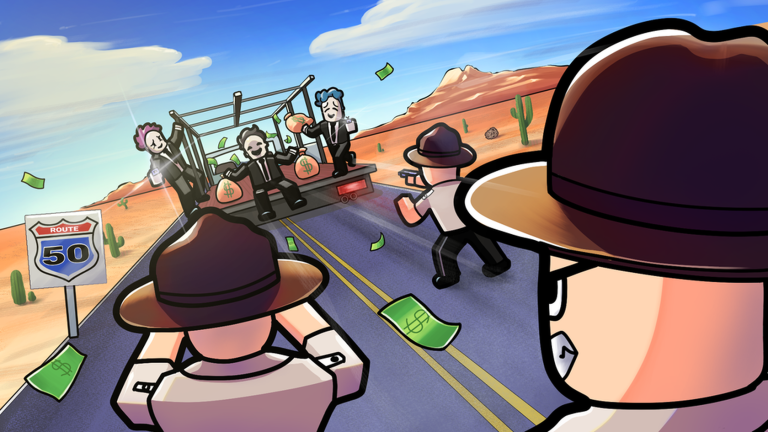
Redeeming well is boring on purpose. Clean menu work protects the exciting part: surviving Route 50 with the loot still in the trunk.
Frequently Asked Questions
Quick answers to the most common heist questions.
Can I redeem Deadly Heist codes on mobile?
Yes. Open the in-experience menu, find the Codes field, paste carefully without trailing spaces, and confirm. Verify rewards before the next chase.
Why did my code say it failed?
It may be expired, already redeemed, mistyped, or copied from the wrong game. Recheck the Codes Hub and try a fresh server session.
Do I need to restart after redeeming?
Usually no, but rejoining helps if the success toast never appears or inventory looks stale after a patch.
Is it safe to redeem codes from Discord DMs?
Only trust codes posted through recognizable EcoCrashed channels or verified on this wiki. Never share your password or follow off-platform generators.