Deadly Heist on Mobile
Thumb-friendly habits so Route 50 heists stop dying to the UI instead of the police.
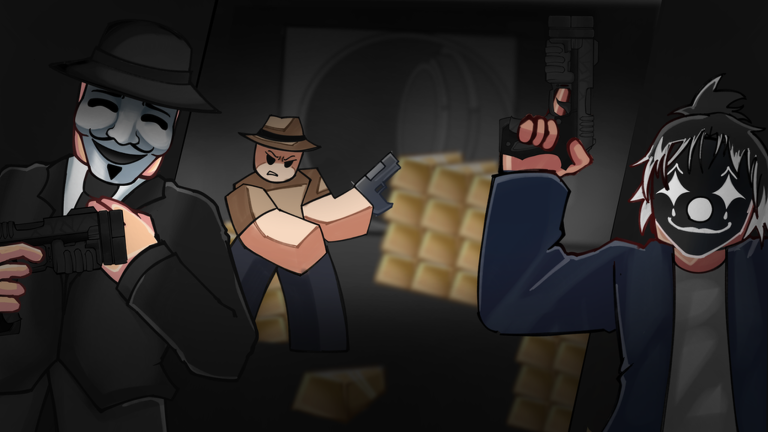
Mobile is first-class—and clumsier
Deadly Heist runs on phones and tablets through Roblox. The fantasy is identical: bank, vault, stars, warehouse. The friction is not. Virtual joysticks and tap interacts make reloads, seat entries, and camera swings easier to fumble. This guide adapts controls for touch players and links the same decision pages PC crews use.
Touch control map
| Action | Typical mobile input |
|---|---|
| Move | Virtual joystick |
| Look / camera | Drag on the right side of the screen |
| Jump | On-screen jump |
| Interact / enter vehicle / loot | Tap the prompt / interact button |
| Attack | Tap / hold fire control |
| Reload | On-screen reload when available |
| Weapon swap | Hotbar taps |
Exact button art can shift after EcoCrashed UI patches—recheck updates if a prompt vanishes.
Settings that save runs
- Lower camera sensitivity until drags feel predictable.
- Keep UI scale readable so interact prompts are not tiny.
- Disable extra visual clutter if your device overheats mid-chase.
- Use headphones for siren direction when you cannot see every unit.
Mobile staging discipline
Because seat entry can miss-tap, stage the car even more carefully than on PC:
- Stand beside the door, confirm the prompt, then enter.
- Point the nose out before you leave for the bank.
- Memorize a backup vehicle within a short sprint.
Details in vehicles. Solo mobile players should also read solo heist.
Looting without fat-finger deaths
Holding interact still slows you. On mobile, accidental camera drags cancel focuses. Plant your thumbs, finish the pile, then move. Follow vault and loot greed rules—and leave earlier if prompts keep failing.
Combat on a small screen
- Prefer simple weapon swaps you can hit without looking away from the road.
- Melee when an officer is already in your face; do not spin-camera hunting.
- Reload behind cover or while the car is briefly safe, not mid-handbrake.
Align kits with loadouts and weapons tiers.
Wanted stars on mobile
Your default leave timer should be earlier than a skilled PC solo. If PC solo leaves at three stars, mobile solo can treat “rising three” as the alarm clock. Use the wanted reference until the habit sticks.
Driving with thumbs
Oversteer is the mobile tax. Feather the stick, straighten before big camera pans, and accept wide arcs around roadblocks instead of perfect drifts. Warehouse approaches from how to escape still apply—wide entry, no valet stop under fire.
Co-op on mobile data
Call short voice or text cues: “engine,” “leave,” “backup.” Do not type essays mid-chase. Role clarity still follows team roles. If ping spikes, shrink greed—not your friends’ patience.
Performance and crashes
Early-stage builds plus heavy chases can hitch. Close background apps, avoid overheating pockets, and rejoin once if interact softlocks. Report persistent bugs through channels on links.
Codes and shop UI on mobile
Redeem paths sometimes hide in hamburger menus. Follow how to redeem and never paste Deadly Delivery codes into this game’s box (codes).
Practice plan for touch players
- Ten minutes of enter/exit + reload drills in a calm moment.
- One low-greed warehouse finish.
- One three-star-ish professional extract.
- Only then attempt louder strategies from strategies.
Related reading
- Guides Hub
- Progression for late-day pressure
- Heist checklist
- Review
Mobile Deadly Heist rewards clean thumbs and earlier exits. Master the UI, then steal the warehouse.
Frequently Asked Questions
Quick answers to the most common heist questions.
Can I play Deadly Heist on mobile?
Yes. Roblox mobile supports the experience. Expect clumsier interact and driving inputs than on PC.
Should mobile players leave earlier?
Usually yes. Use stricter greed budgets and treat rising three-star heat as your default leave timer.
Why do I keep failing to enter cars?
Stand still facing the door, wait for the prompt, then tap once. Stage cars before the alarm so you are not panicking.
Are mobile controls the same after updates?
Prompts can move when EcoCrashed patches UI. Recheck the Updates hub if a button disappears.