How to Execute Deadly Heist Scripts
Executor basics, loadstring flow, and stop-conditions that protect your account.
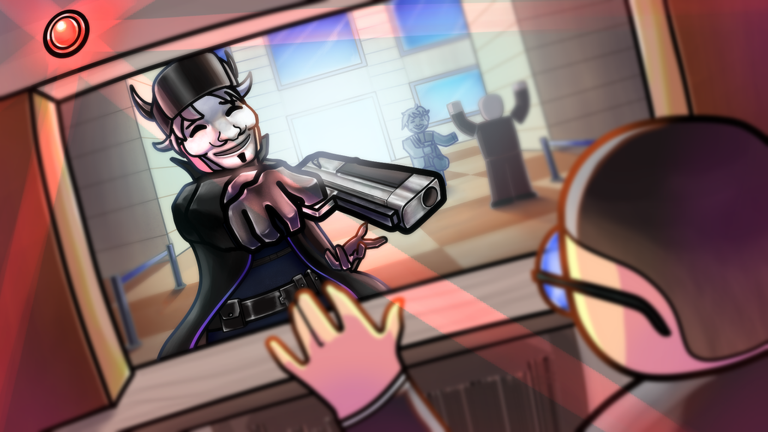
Important warning
Third-party executors and injected scripts can violate Roblox Terms of Use. EcoCrashed Games and Roblox may punish accounts that gain unfair advantages. This page exists because players search for execution steps—not because we recommend cheating through Route 50. Prefer the getting started guide, scripts hub feature notes, and skill pages like how to escape whenever you can.
What you need
- A Windows PC where you accept security risk (mobile execution is a separate, often sketchier ecosystem).
- An executor build you obtained carefully—avoid cracked mirrors bundled with stealers.
- The Deadly Heist place open and fully loaded.
- The script text from the Scripts Hub (for example the Weapon Modify loadstring) ready to paste.
Close unnecessary browser tabs that auto-download “free executor” ads. Bookmark updates so you know when a patch likely nuked offsets.
Generic execution flow
- Launch your executor as instructed by its own vendor, usually before or alongside Roblox depending on the product.
- Join Deadly Heist and wait until you can move on Route 50—not on the loading brick.
- Open the executor user interface.
- Paste the script. For Weapon Modify that often looks like a single
loadstring(game:HttpGet(...))()line. - Press Execute / Attach / Run (labels vary).
- Test in a low-stakes moment: swing a bat, fire a gun, confirm ammo behavior before a five-star chase.
- If errors appear, disable the script and continue clean rather than looping rejoins.
Hygiene rules that actually matter
- Never paste scripts that rewrite your clipboard forever or request account cookies.
- Never disable antivirus globally “because the executor said so” without understanding the trade.
- Keep a non-main account for experiments when possible.
- Do not execute unknown obfuscated megahubs that claim ESP, aimbot, autoskill, and “anti-ban” in one paste.
- Turn scripts off before redeeming anything on the codes UI so overlays do not steal input.
Deadly Heist-specific failure modes
Weapon hooks break when EcoCrashed adjusts gun tools. Police AI and wanted star logic also change during early patches. A script that worked yesterday may hard-error today while your getaway car still needs a human driver—review controls and team roles.
ESP that highlights police can create tunnel vision. You stop watching roadblocks and warehouse approach angles covered in strategies. If visuals lag, turn them off and use the wanted reference instead.
Troubleshooting
Executor not attaching. Restart both Roblox and the executor. Confirm you are not on a Microsoft Store version if your tool only supports the desktop player.
HttpGet failed. Network blocks, dead raw URLs, or proxy issues. Do not bypass with random reuploads.
Script runs but nothing changes. Wrong game place, patched functions, or you executed before character load. Rejoin once; if still dead, retire the script.
Rubberbanding or teleport jitter. Server rejecting bad positions. Stop teleports immediately.
Crew complaints. Be honest with teammates. Mixed scripted clients ruin vault and loot timing.
Better progression stack
Even players who research scripts should keep a clean skill stack:
- Heist checklist before breach
- Vault and loot routing
- Wanted stars exit timing
- Weapons tier list and loadouts
- Masks and cosmetics for morale—not aimbot crutches
Ethical and practical close
If your goal is learning the fantasy of a 2001 Route 50 crew, scripts flatten the tension that makes Deadly Heist fun. If your goal is pure efficiency, remember bans erase efficiency. Use this page as a risk map, use the Scripts Hub as a feature index, and keep community links nearby for official patch truth.
When in doubt, execute nothing. Drive the warehouse route sober.
Frequently Asked Questions
Quick answers to the most common heist questions.
Can I execute Deadly Heist scripts on mobile?
Mobile execution ecosystems are unstable and risky. This guide focuses on PC executor flow; most players should skip scripts entirely on phones.
What should I do if the loadstring errors?
Stop rerunning it. The URL or game hooks are likely patched. Play clean and recheck the Scripts Hub later.
Will scripts ban my Roblox account?
They can. Executors violate Roblox rules. Use a test account if you experiment, or skip scripts and learn escape fundamentals instead.
Should I use scripts in co-op?
Usually no. Desync and trust issues hurt crews more than infinite ammo helps. Align roles and loadouts instead.