Mask Customization in Deadly Heist
How EcoCrashed’s mask update changes swagger—not your wanted stars.
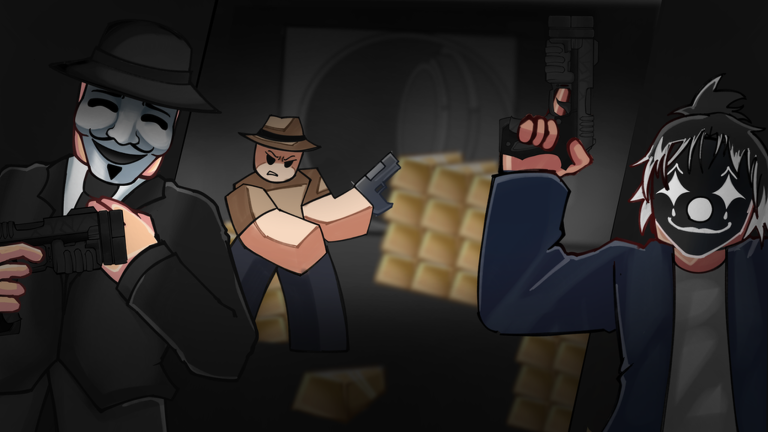
The headline players saw
EcoCrashed Games promoted that masks can now be customized, alongside broader updates and bug fixes, while still calling Deadly Heist early-stage. This page turns that headline into practical wiki guidance: what cosmetics are for, what they are not, and which systems to retest after related patches.
Deep cosmetic browsing still lives on masks. Process-level patch habits live on the Updates Hub.
What customization is for
Masks sell the criminal identity fantasy on Route 50. Custom looks help crews recognize each other in chaotic lobbies and make screenshots sharper. They do not:
- Reduce wanted stars
- Replace armor or health
- Unlock free Robux
- Guarantee vault loot
If a script or random Discord file promises “unlock every mask,” treat it as malware theater—see scripts.
How to approach the feature in-game
- Join the experience from the official Roblox page linked on links.
- Open the customization / wardrobe-style UI EcoCrashed ships (labels can move after UI patches).
- Equip a mask you can actually see in third person before a live heist.
- Run one short bank → warehouse loop so you know the cosmetic does not block interact prompts.
If menus moved, recheck controls and how to redeem for other UI shifts that often ship in the same week.
What to retest after mask-related patches
Cosmetic updates sometimes hitchhike with AI or vehicle fixes. After any related drop:
- Enter/exit vehicle still works (vehicles)
- Reload and interact prompts remain visible (mobile if on touch)
- Wanted leave timings still feel fair (wanted stars)
- Loadouts still equip cleanly (loadouts)
Use the heist checklist for a calm verification run.
Co-op identity tips
Crews can color-code masks by role—driver, gunner, looter, scout—so callouts get visual backup. Roles themselves remain mechanical: team roles. Do not assign someone “tank” because their mask looks scarier.
Codes, group perks, and cosmetics
Occasionally games drip cosmetics through codes or group milestones. When that happens for Deadly Heist, it will be listed on the codes hub with redemption steps. Until a code is verified in-experience, assume none. Never paste Deadly Delivery codes here.
Join EcoCrashed Games for official announcements rather than random “free mask” sites (links).
Early-stage honesty
The developer still asks players to report bugs. Mask cameras, clipping, or lobby previews can glitch. Reproduce once, record what you tapped, and report through official channels instead of assuming the wiki is wrong.
Content map after this update
| If you care about… | Open |
|---|---|
| Cosmetic browsing | Masks |
| Combat power | Weapons tier |
| Escape skill | How to escape |
| Long difficulty curve | Progression |
| Overall verdict | Review |
Myths this page kills
- “Custom masks are pay-to-win.” No evidence they change heat or damage.
- “I need a script to see masks.” You need the official UI.
- “Mask update means codes dropped.” Only if verified on the codes page.
Keep the fantasy sharp
Customize, then rob. The warehouse still cares about staging, greed budgets, and driving—not whether your mask matches the decade. When EcoCrashed ships the next cosmetic pass, return here and to the Updates Hub before you rewrite your whole loadout philosophy.
Frequently Asked Questions
Quick answers to the most common heist questions.
Does mask customization make Deadly Heist easier?
No. Masks are cosmetic identity tools. Wanted stars, loot speed, and driving still decide the run.
Where do I customize masks?
Inside the official Roblox experience via EcoCrashed’s customization UI. Menu labels can move after patches.
Are free mask unlock scripts safe?
Treat them as high risk. Prefer official unlocks, group news, and verified codes when they exist.
What should I retest after the mask update?
Vehicle enter/exit, interact prompts, and one clean warehouse extract in case the patch bundled other fixes.